In a world humming with digital noise, sometimes you need to cut through the clutter with a pure, precise sound. Whether you're a musician fine-tuning an instrument, an audio engineer calibrating equipment, a scientist conducting experiments, or simply someone trying to manage tinnitus, the ability to generate specific audio frequencies is incredibly powerful. This guide to Choosing the Best Online Tone Generator Tools will help you navigate the options, ensuring you find the perfect utility to meet your unique auditory demands.
Forget clunky software installations or expensive hardware. The modern solution often lies just a browser tab away. Online tone generators, and their mobile app counterparts, offer convenience and capability that rival dedicated devices. But with so many options, how do you pick the right one?
At a Glance: Key Takeaways for Your Search
- Prioritize Frequency Range: Look for tools covering 1 Hz to 25,000 Hz or wider for maximum versatility.
- Check Waveform Variety: Sine, square, sawtooth, and triangle waves are fundamental.
- Evaluate Interface Simplicity: An intuitive design with clear controls (sliders, play/stop) saves time and frustration.
- Consider Simultaneous Generation: If you need complex soundscapes or binaural beats, this feature is essential.
- Look for Extra Features: Waveform visualization, export options (WAV), noise generation (white/pink), and background operation add significant value.
- Web-based vs. Mobile App: Web tools are often free and require no installation; apps offer offline use and deeper device integration.
- Remember Your Gear: The quality of your sound card, speakers, or headphones significantly impacts the accuracy and purity of the tones you hear.
Why You Need a Digital Maestro: The Power of Pure Tones
Imagine needing to test the limits of your new headphones, or perhaps you're building a custom speaker system and need to sweep frequencies to identify resonances. Maybe you’re exploring the therapeutic potential of sound for relaxation or focused work, often involving specific frequencies or even the intriguing world of binaural beats. This is where online tone generators shine.
These digital tools are essentially web or mobile applications designed to produce precise audio tones across various frequencies and waveforms. They convert an electronic signal into sound waves, played directly through your device's audio system. Their applications are incredibly diverse:
- Music Production: Creating drones, testing synth patches, or generating specific pitches.
- Audio Testing: Calibrating speakers, headphones, and microphones; identifying frequency response issues.
- Scientific Research: Demonstrating sound wave properties, acoustics experiments.
- Instrument Tuning: Providing a perfectly stable reference pitch (like a 440 Hz A note).
- Therapeutic Uses: Tinnitus management, relaxation, focus enhancement.
- Pest Deterrence: Generating ultrasonic frequencies (use with caution and research).
- Education: Visualizing sound waves and understanding their characteristics.
The beauty is that many of these robust web-based options are completely free, require no account registration, and are instantly accessible, including our own online tone generator.
Dissecting Your Options: What Makes a Tone Generator "Best"?
Before diving into specific tools, let's establish the critical criteria that differentiate a basic tone emitter from a truly powerful utility. Your "best" choice will align with your specific needs.
1. Frequency Range and Accuracy
This is paramount. A good tone generator should ideally cover a broad spectrum, from the very low (1 Hz for subsonic testing) to the very high (20,000 Hz or even 25,000 Hz for ultrasonic applications). Precision in frequency adjustment, often down to 1 Hz increments, ensures you hit the exact target pitch you need. Without sufficient range and accuracy, you're essentially guessing.
2. Waveform Variety
Sound isn't just about pitch; it's also about timbre, largely determined by the waveform. The foundational types you should look for include:
- Sine Wave: The purest tone, with no overtones, ideal for basic tests and foundational understanding.
- Square Wave: Rich in odd harmonics, creating a hollow, reedy sound.
- Sawtooth Wave: Rich in both even and odd harmonics, producing a bright, buzzing sound often used for synth leads.
- Triangle Wave: Brighter than a sine wave but softer than a square wave, with odd harmonics that fade faster.
Some advanced tools might also offer impulse waves or even noise generation (white, pink, brown noise), which are invaluable for creating ambient soundscapes or masking specific frequencies.
3. Intuitive Interface and Controls
A powerful tool is useless if you can't figure out how to operate it. Look for:
- Clear Frequency Sliders: Easy to adjust with visual feedback.
- Volume Controls: Essential for safely managing output levels.
- Play/Stop Buttons: Obvious and responsive.
- Waveform Selection: Clearly labeled options.
- Minimal Clutter: A clean design prevents an overwhelming user experience, especially for beginners.
4. Simultaneous Tone Generation
For creating complex soundscapes, binaural beats, or multi-frequency audio tests, the ability to generate several tones at once is a game-changer. This allows you to layer sounds, create chords, or produce specific psychoacoustic effects. If your needs are simpler (e.g., single-note tuning), this might not be a priority.
5. Additional Valuable Features
Beyond the core functionality, these extras can elevate your experience:
- Noise Generation: White noise, pink noise, etc., for sound masking or acoustic testing.
- Waveform Visualization: A real-time visual representation of the sound wave, enhancing understanding and precision.
- Real-time Previews: Hear changes as you make them.
- Export Options: The ability to save generated tones as audio files (e.g., WAV, MP3) for later use in other projects.
- Sharing Options: Easily send specific tones to collaborators or friends.
- Background Operation: Allows the tone to continue playing even if you switch apps or minimize the browser (more common in mobile apps).
- Device/Browser Compatibility: Ensures the tool works seamlessly across your preferred devices and web browsers.
6. Limitations to Keep in Mind
While incredibly convenient, online tone generators do have their constraints. The sound quality and range you experience are heavily dependent on your device's sound card and external speakers or headphones. Low-end equipment may struggle to accurately reproduce extreme high or low frequencies. Additionally, environmental background noise and room acoustics can significantly affect the purity of the tone. For specific effects like binaural beats, using headphones is non-negotiable for the effect to work as intended.
Understanding these criteria and limitations will empower you to make an informed decision when evaluating the myriad of options available.
The Web-Based Contenders: A Closer Look
Online tone generators offer unparalleled accessibility, often requiring nothing more than an internet connection and a browser. Here are some of the most popular and effective choices:
1. Online Tone Generator (onlinetonegenerator.com)
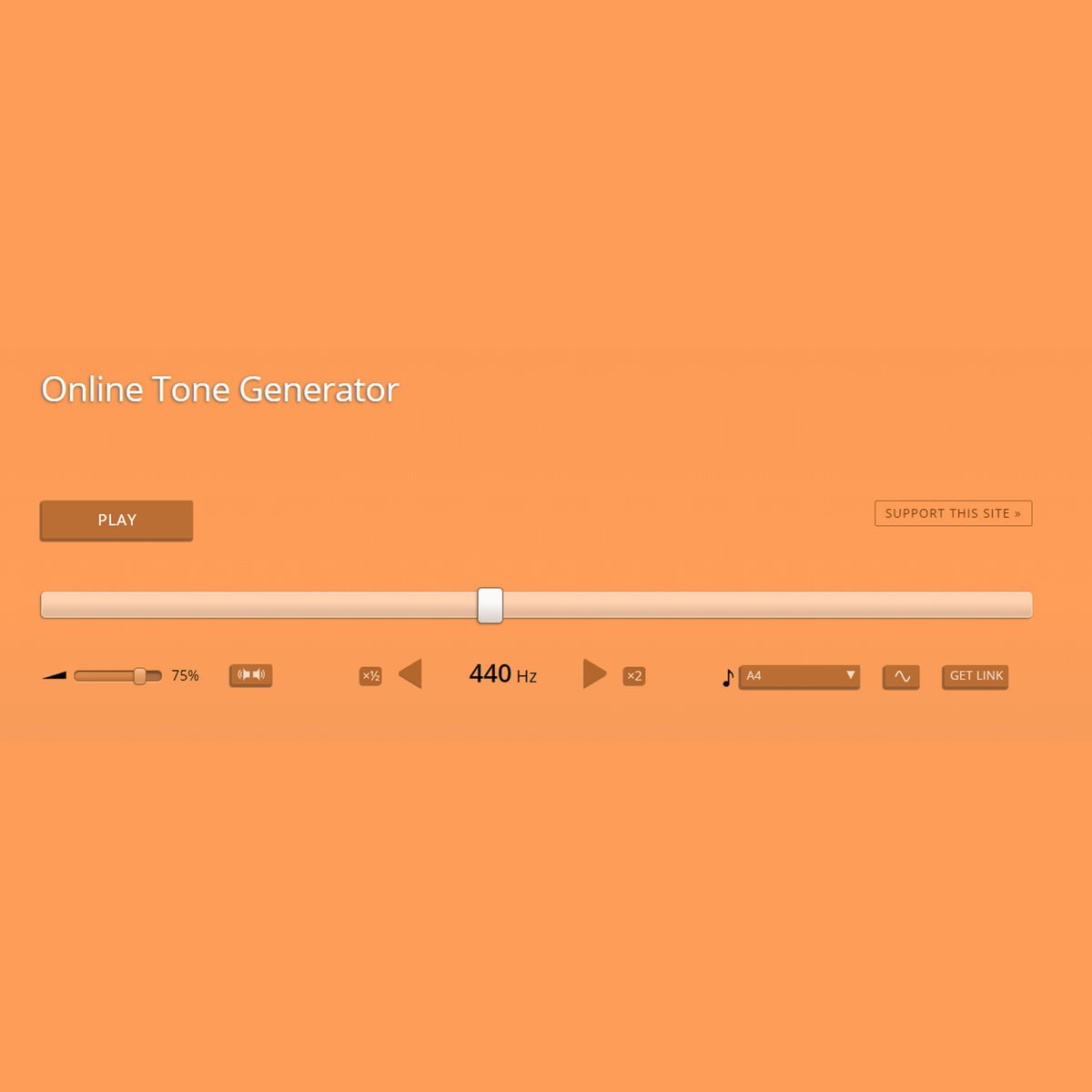
- Pros: Highly intuitive interface, super-fast performance, broad frequency range (1 Hz to 20,000 Hz). It's incredibly stable and requires no account. Perfect for quick, precise single-tone generation.
- Cons: Typically lacks simultaneous tone generation, meaning you can only produce one frequency at a time.
- Best For: Quick instrument tuning, basic hearing tests, general audio checks, and users who prioritize simplicity and speed.
2. Online Mic Test (onlinemictest.com)
- Pros: Offers expansive audio testing functionality beyond just tone generation. Crucially, it supports generating several tones simultaneously, making it excellent for creating intricate soundscapes or testing microphones with multiple frequencies. Real-time previews are also a plus.
- Cons: Its broader toolset can make it feel a bit more complex than single-click options for pure tone generation.
- Best For: Audio engineers, podcasters, and users needing comprehensive audio testing, especially involving microphones or multi-frequency sound design.
3. Szynalski's Online Tone Generator (szynalski.com/tone-generator)
- Pros: Known for its stylish, user-friendly UI and innovative soundwave visualization. Its highly accurate frequency settings allow for incredibly precise adjustments, making it a favorite for audiophiles who value visual feedback.
- Cons: Does not support simultaneous tone generation.
- Best For: Users who appreciate a clean aesthetic, precise control, and visual confirmation of their generated sound waves. Excellent for educational demonstrations of different waveform types.
4. Gieson Tone Generator (gieson.com/Library/projects/utilities/tonegen/)
- Pros: This tool stands out for its functionality allowing the export of generated tones as audio files (WAV). You can adjust frequency and length, making it highly convenient for creating custom ringtones, sound effects, or integrating with other audio systems.
- Cons: Lacks batch tone generation for multiple tones at once.
- Best For: Content creators, DIY musicians, and anyone needing to create and save specific audio tones for later use or integration into projects.
5. OnlineSound (onlinesound.in)
- Pros: Excels at generating both pure tones and various noise types (e.g., white, pink noise) across an expansive frequency range. This flexibility makes it ideal for creating ambient soundscapes or specialized audio tests.
- Cons: The user interface can be overwhelming for inexperienced users due to the sheer number of options.
- Best For: Advanced users, sound designers, and those needing a comprehensive tool for both pure tone and diverse noise generation.
6. WavTones (wavtones.com)
- Pros: Offers in-depth customization, robust waveform and modulation settings, and supports generating multiple tones simultaneously. This makes it highly suitable for technical audio projects requiring detailed control.
- Cons: Its advanced UI and extensive options may present a steeper learning curve for beginners.
- Best For: Professional audio engineers, researchers, and users engaged in complex audio experiments or sound design projects.
7. RapidTables Tone Generator (rapidtables.com/tools/tone-generator.html)
- Pros: Known for quick loading times, instant response, and a minimalist, highly intuitive interface. It's incredibly efficient for high-speed tone generation and simple audio tests, such as generating a 440 Hz tone for instrument tuning.
- Cons: Lacks advanced features like waveform visualization or batch generation.
- Best For: Users needing a fast, no-frills tool for basic, single-tone generation without any distractions.
Mobile App Powerhouses: Tones On The Go
For those who need to generate tones while away from a computer, mobile apps offer dedicated functionality and often better integration with device hardware.
1. Tone Generator Audio Sound HZ (iOS/Android)
- Pros: Generates pure sine wave tones from 20 Hz to 22,000 Hz, with waveform selection (sine, square, triangle, sawtooth), and precision control. User-friendly interface.
- Cons: May have limitations in simultaneous tone generation compared to some web counterparts.
- Best For: Instrument tuning, basic hearing tests, and audio equipment calibration on the go.
2. Frequency Sound Generator App (iOS/Android)
- Pros: Boasts a broad frequency range (1 Hz to 25,000 Hz) with precise 1 Hz increment adjustments and professional wave visualization. Versatile for pet training, pest annoyance (use responsibly), hearing tests, and includes offline functionality. No subscription fees.
- Cons: While versatile, the array of options might initially seem daunting.
- Best For: Users needing extreme frequency range and precision for various applications, including specialized pet training or scientific curiosities.
3. Tone Generator App (by Vitalii Gryniuk, iPad)
- Pros: Specifically designed for iPad, generating sine waves from 20 Hz to 20 kHz. Useful for testing audio equipment, tuning instruments, and even a unique feature: removing water from phone speakers. Free with in-app purchases for advanced features.
- Cons: Limited to sine waves by default; advanced waveforms may require purchases. iPad-only.
- Best For: iPad users looking for a straightforward, reliable sine wave generator with some unique utilities.
4. Sonic Pitch Sound Generator (iOS)
- Pros: Generates frequencies from 0 Hz (effectively silent) up to ultrasonic 25 kHz with an intuitive swipe interface and visual display. Supports background operation and Bluetooth/Airplay compatibility, making it useful for insect repulsion (again, responsibly!), dog training, and sound experiments.
- Cons: Interface might be overly simplistic for advanced waveform needs.
- Best For: On-the-go users who need ultra-high frequencies, background operation, and easy frequency adjustment via swipe.
5. Heinz Tone Generator (Android)
- Pros: Produces periodic signals (sine, square, triangle) with adjustable frequency and amplitude. Targets professionals for testing electronic circuits and audio equipment, and for educational demonstrations.
- Cons: Interface might be more technical, less beginner-friendly.
- Best For: Electronics hobbyists, audio professionals, and educators needing a robust tool for circuit analysis and sound wave demonstrations.
6. Tone Generator Simple (Android)
- Pros: Creates sine, square, sawtooth, and triangle tones with adjustable frequencies via swiping. Includes a frequency sweep feature (useful for entertaining hearing tests) and a speakerphone cleaning utility to remove dust and water.
- Cons: "Simple" implies fewer advanced features for pro users.
- Best For: Casual users, those new to tone generation, and anyone looking for a quick and easy way to generate tones with a few fun extras.
7. ToneGen Audio Tone Generator (Android)
- Pros: A highly comprehensive tool generating various waveforms (sine, square, triangular, sawtooth, impulse), white/pink noise (1Hz-22kHz). Crucially, it supports simultaneous generation of up to 16 tones. Offers mono/stereo operation, log/linear sweeps, and options to save as WAV files or share.
- Cons: The sheer number of features might require some learning.
- Best For: Power users, musicians, and audio professionals who need multi-tone generation, noise, sweeps, and file export capabilities on an Android device. This is a strong contender for complex audio projects.
8. Tone Frequency Sound Generator (iOS)
- Pros: An iOS app generating pure tones from 20 Hz to 20,000 Hz with a clean interface, volume control, preset tones, and manual frequency input.
- Cons: Primarily focuses on pure tones; waveform variety might be limited compared to others.
- Best For: iOS users who need a clean, simple interface for high/low-pitch sounds, hearing tests, and basic binaural beat experimentation.
9. Tone Generator EX (iOS)
- Pros: Offers a frequency range of 15 Hz to 22 kHz, various waveform selections, an auto-off timer, background playback, controls via notification drawer/lock screen/headset, auto-pause for calls/alarms, custom presets, and music note selection.
- Cons: Some advanced features might be locked behind in-app purchases.
- Best For: iOS users who want a feature-rich app with convenient playback controls and preset management, ideal for daily use or specific tasks like calibrating their audio gear.
10. Tone Gen Pro (iPad)
- Pros: An advanced iPad app generating single signals (sinusoidal, square, noise), complex linear/exponential sweeps, click signals with customizable duty cycles, and merged sounds from multiple tones/sweeps. Features continuous sweep repetition with adjustable blanking time.
- Cons: Specifically for iPad, and its "Pro" moniker suggests a steeper learning curve for casual users.
- Best For: Professional audio researchers, scientists, and educators who need sophisticated signal generation and sweep capabilities on an iPad.
Practical Applications: How to Get Started with Your Chosen Tool
Once you've selected a tone generator, using it is usually straightforward. Here's a general process:
- Open the Tool: Navigate to the website or launch the mobile app.
- Select Waveform: Choose between sine, square, sawtooth, or triangle, depending on your goal. For most basic tests, a sine wave is ideal as it's the purest.
- Set Frequency: Use the slider or input box to set your desired frequency in Hertz (Hz). Start with a moderate frequency (e.g., 440 Hz) and adjust gradually.
- Adjust Volume: Always start with a low volume and increase slowly to avoid startling yourself or damaging your speakers/ears.
- Press Play: Activate the tone.
- Observe/Listen: Listen for the tone, or observe any visualizations. Make adjustments as needed.
- Explore Features: If available, try out features like simultaneous tone generation, noise types, or sweep functions.
- Export (if applicable): If your tool allows, save your generated tone for future use.
Remember, the quality of what you hear is only as good as your output device. For critical listening or testing, use high-quality headphones or speakers.
Common Questions & Smart Answers
Q: Can an online tone generator damage my speakers?
A: Potentially, if you generate very high volume, extreme low frequencies (sub-bass), or continuous high-frequency tones for prolonged periods. Always start at a low volume and increase gradually. Avoid pushing speakers to their absolute limit.
Q: Are these tools accurate enough for professional use?
A: Many are, especially for general testing, tuning, and basic signal generation. For highly precise scientific or audio engineering applications, dedicated hardware often offers superior stability and calibration. However, the accuracy of web-based tools like Szynalski or feature-rich apps like ToneGen Audio Tone Generator can be surprisingly high, especially with a good sound card.
Q: What's the difference between white noise and pink noise?
A: White noise contains equal energy across all frequencies, sounding like a constant hiss or static. Pink noise has equal energy per octave, meaning lower frequencies are louder. Pink noise often sounds more "balanced" or "natural" and is frequently used for acoustic measurements and calibration.
Q: Do I need headphones for binaural beats?
A: Yes, absolutely. Binaural beats work by presenting two slightly different frequencies to each ear, which your brain then interprets as a third "beat" frequency. This effect is impossible without stereo separation provided by headphones.
Q: Can I use these for pest control (e.g., mosquito repulsion)?
A: While some apps market this feature (e.g., Sonic Pitch Sound Generator), scientific evidence for the effectiveness of ultrasonic frequencies for pest control is highly mixed and often inconclusive. Use such features with skepticism and research.
Q: How can I test my hearing with these tools?
A: You can generate tones at various frequencies (e.g., from 20 Hz to 20,000 Hz) and see which ones you can hear. Note the lowest and highest frequencies audible to you. Remember, this is a basic, informal test and not a substitute for a professional audiology exam. Always use caution and keep volumes low during self-testing.
Making Your Final Choice: A Framework for Decision
With a wealth of options, your decision comes down to matching the tool to your primary needs.
- For quick, single-tone generation and simplicity: Online Tone Generator or RapidTables (web), Tone Generator Audio Sound HZ or Tone Generator Simple (mobile).
- For precise control and visual feedback: Szynalski (web) or Frequency Sound Generator App (mobile).
- For creating complex soundscapes, binaural beats, or multi-frequency tests: Online Mic Test or WavTones (web), ToneGen Audio Tone Generator or Tone Gen Pro (mobile).
- For exporting tones as audio files: Gieson Tone Generator (web) or ToneGen Audio Tone Generator (mobile).
- For comprehensive noise generation (white, pink, etc.): OnlineSound (web) or ToneGen Audio Tone Generator (mobile).
- For mobile-specific features like background playback or lock screen controls: Tone Generator EX or Sonic Pitch Sound Generator (iOS).
Don't be afraid to try a few different options. Most web-based tools are free, and many mobile apps offer free versions or trials. Experimentation is the best way to discover which interface and feature set truly resonate with your workflow.
The Pure Sound Awaits
The world of online tone generators is a vibrant landscape of utility and innovation, putting powerful audio tools right at your fingertips. By understanding your specific needs and evaluating the core features discussed here, you can confidently select the best online tone generator to unlock new sonic possibilities. So go ahead, explore the frequencies, and let your journey into precision sound begin.